Myth-Buster · Battery
Does wireless charging damage iPhone battery health? The real answer: no, not meaningfully versus wired - heat is what wears batteries, and it's managed.

If you've wondered does wireless charging damage iPhone battery health, you're asking a smart question - and the honest answer has a little nuance to it. It isn't a scary "yes," and it isn't a hand-wavy "no, never." Here's the real answer: modern wireless charging does not meaningfully damage your iPhone's battery compared to wired charging, as long as heat is managed. The thing that actually wears down a lithium-ion battery is heat - not the wireless technology itself. Understand that one idea and every other worry about MagSafe and Qi wireless pads falls neatly into place.
No - wireless charging doesn't meaningfully harm your iPhone battery versus wired, as long as heat is kept in check.
Two honest caveats make that credible: wireless is slightly less efficient and runs a few degrees warmer than wired (some energy is lost as heat), and heat - not the wireless tech - is what degrades batteries. Wireless charging adds no extra charge cycles. Since modern iPhones and certified chargers actively manage temperature, everyday wireless charging is fine.
Below, we'll cover what actually wears out a battery, how wireless differs from wired, why it's safe on modern iPhones, and the simple habits that keep your battery healthy. (Creslia is an independent brand and isn't affiliated with or endorsed by Apple.)
Where the Myth Comes From
It's worth understanding why this worry is so widespread, because the fear isn't completely baseless - it's just outdated and exaggerated. People notice two real things and draw a wrong conclusion from them. First, a phone genuinely does feel warmer on a wireless pad than on a cable, and we all know heat is bad for electronics, so the brain jumps to "this must be harming my battery." Second, there's a deep-seated cultural belief that anything wireless or magnetic is somehow riskier than a plain wired connection - a hangover from older technology eras.
Both observations contain a grain of truth and then overshoot. Yes, wireless runs warmer - but by a few degrees, not a dangerous amount. Yes, heat ages batteries - but the small extra warmth from a modern wireless charger sits comfortably in the safe range, and the phone manages it. The myth survives because it pattern-matches to things we already half-believe, and because "wireless charging is basically fine" is a far less clickable headline than "wireless charging is killing your battery." Once you separate the real mechanism (heat) from the scary framing (wireless = dangerous), the whole topic gets calmer and clearer.
What Actually Wears Out a Phone Battery
To judge wireless charging fairly, you first need to know what genuinely ages a lithium-ion battery. There are really four factors, and notice that "wireless" isn't one of them:
The practical upshot: the single most useful thing you can do for long-term battery health is keep the battery cool, and a close second is avoiding long spells parked at 100% or near 0%. Keeping the charge roughly between 20% and 80% is easier on the cell than constantly topping right up to full and draining to empty. None of these four factors is unique to wireless charging - which is exactly why the wireless-versus-wired question really becomes a question about heat.
It's also worth knowing that some capacity loss is simply unavoidable and normal. Every lithium-ion battery slowly loses a little maximum capacity as it's used - that's chemistry, not a sign you did something wrong. The goal of good charging habits isn't to stop aging entirely (you can't); it's to avoid accelerating it with sustained heat or constant extremes. Seen that way, the wireless question is really just "does this method add meaningful heat?" - and the answer, as we'll see, is no.
Batteries don't age because charging is wireless - they age from heat, cycles, and time spent at the extremes.
Does Wireless Charge Differently?
Yes, in one meaningful way: efficiency. A cable delivers power through a direct copper connection with very little waste. Wireless charging sends energy across a small air gap between a coil in the pad and a coil in your phone, and that transfer is inherently less efficient - some energy always escapes as heat. That's why a phone feels warmer on a pad than on a cable.
How much warmer? In testing, wired charging averaged around 27°C while wireless rose to about 30.5°C over a few hours. That's a real, measurable difference - but it's still far below the roughly 50-60°C range where lithium-ion batteries are seriously stressed. In other words, the extra warmth from everyday wireless charging is well within the safe zone, not anywhere near the danger zone.
Two things change how much heat wireless creates. Case thickness: a thick case (over about 3mm) widens the gap between the coils, which cuts efficiency and adds heat. Alignment: strong magnetic systems like MagSafe and Qi2 snap the phone into perfect coil alignment, which improves efficiency and reduces heat compared to a loosely-placed phone on a plain pad. So a well-aligned magnetic charger with a thin case is actually one of the cooler, gentler ways to charge wirelessly.
To put that few-degree difference in perspective: your battery experiences far bigger temperature swings just from everyday life. Leaving the phone on a car dashboard in summer, gaming for an hour, or sitting in direct sun all push the battery hotter than a wireless pad ever will during a normal charge. The warmth from wireless charging is minor next to those scenarios - which is exactly why "it gets a bit warm on the pad" isn't the alarm bell it feels like. If you wouldn't worry about a slightly warm phone after a long video call, you don't need to worry about the same warmth on a charger.
"Wireless charging uses more cycles and wears the battery out faster." False. A charge cycle is one full discharge and recharge of the battery's capacity, and it's counted the same no matter how you put the energy in. Wireless adds zero extra cycles. The only real variable is the small heat difference - and that's exactly what modern charge management is built to handle.
Why It's Safe on Modern iPhones
Even that modest heat difference is actively managed by several layers of built-in protection, which is the real reason you don't need to worry:
Certified chargers regulate temperature. Qi-certified (and MagSafe/Qi2) chargers monitor heat and will slow or stop charging if they detect too much - they're designed to keep things in the safe range rather than blindly pushing power.
Optimized Battery Charging. Your iPhone learns your daily routine and deliberately delays charging past 80% until just before you usually unplug, so the battery spends less time sitting full. You'll find it under Settings > Battery > Battery Health. It's on by default and works for wireless charging too.
An 80% charge limit. iPhone 15 and newer add an optional hard 80% limit for people who want to cap charging entirely - useful if your phone often sits on a charger all day.
Thermal throttling. If the phone gets warm, it simply slows charging until it cools. This is why wireless charging sometimes "pauses" or charges slowly when the phone is hot - that's protection working, not a malfunction.
Stack these together and the picture is clear: the technology assumes wireless runs a touch warmer and compensates for it automatically. You don't have to micromanage anything for normal use.
It helps to see these features as a team rather than separate switches. Optimized Battery Charging tackles the "time at 100%" stressor by holding the phone at 80% until you need it. Thermal throttling tackles the heat stressor in real time, easing off whenever the phone warms up. Certified chargers prevent problems at the source by refusing to dump more power than is safe. And the optional 80% limit gives control-minded users a hard ceiling. No single feature does everything, but together they cover every meaningful way charging could stress the battery - and they run quietly in the background whether you charge wired or wireless. That's why Apple is comfortable telling users to charge however is convenient: the safeguards don't care which method you pick.
How to Charge Wirelessly the Smart Way
If you want to be extra kind to your battery, the playbook is simple - and it all comes back to managing heat.
- Keep it cool. Don't charge under a pillow or blanket, in direct sun, or in a hot car - and don't cover the phone while it charges.
- Mind the case. Remove very thick or metal cases if the phone heats up a lot; thin, MagSafe-friendly cases are fine and don't meaningfully add heat.
- Use a certified charger. A certified MagSafe or Qi2 charger gives good magnetic alignment and proper temperature management - better alignment means less wasted heat.
- Turn on Optimized Battery Charging (and the 80% limit on iPhone 15 and newer) to limit time spent sitting at 100%.
- Don't charge during heavy use. Gaming or navigation while charging stacks heat on heat - let the phone rest while it tops up.
- Relax about overnight. Occasional overnight charging is fine; smart charge management handles it. Just keep the phone ventilated and uncovered.
Notice that almost every tip is really a heat tip. That's the whole secret: if you keep wireless charging cool and well-aligned, you've addressed essentially the only way it differs from wired in any way that matters to your battery.
And keep the whole thing in proportion. Battery degradation is gradual and measured in years, not weeks - you're not going to wake up to a ruined battery because you used a pad a few nights running. The goal isn't anxious perfection; it's a few easy habits that nudge the odds in your favor over the life of the phone. If you do nothing but set your phone on a decent charger and leave the default battery-health features on, you'll already be doing the large majority of what matters. The tips above are simply how to squeeze out the rest, for people who like to optimize.
Why trust Creslia
- 2,000+ products tested in our Iselin, NJ QA lab since 2024.
- 200+ device models supported - iPhone, Samsung, Pixel, OnePlus, Google.
- Same-day shipping on orders placed before 3 PM ET, six days a week.
- Reviewed under MIL-STD-810G drop methodology for our rugged lines.
The Honest Verdict
So, does wireless charging damage your iPhone battery? Not in any way you need to worry about. It's slightly less efficient and runs a few degrees warmer than a cable, and that warmth is the only real variable - but it stays far below the temperatures that actually harm lithium-ion cells, it adds no extra charge cycles, and modern iPhones plus certified chargers manage the heat for you. Wired charging holds a small theoretical edge on efficiency and temperature, but with heat in check the long-term difference is minimal. Use wireless for its convenience with a clear conscience; use wired when you want the fastest, coolest top-up. Both are fine for your battery.
If it helps to have one rule to remember, make it this: worry about heat, not about wireless. A phone charging cool on a certified pad with a thin case is in great shape; a phone cooking under a blanket or baking in a hot car is the real risk - and that's true whether it's plugged in or not. Get the heat right and the wired-versus-wireless debate basically disappears.
What Actually Helps Wireless Stay Cool
Since heat and alignment are the whole game, two pieces of gear genuinely help wireless charging run cooler and more efficiently: a certified MagSafe/Qi2 charger (for strong alignment and temperature management) and a thin, well-designed MagSafe case (so the coil gap stays small). Browse certified chargers in charging solutions.
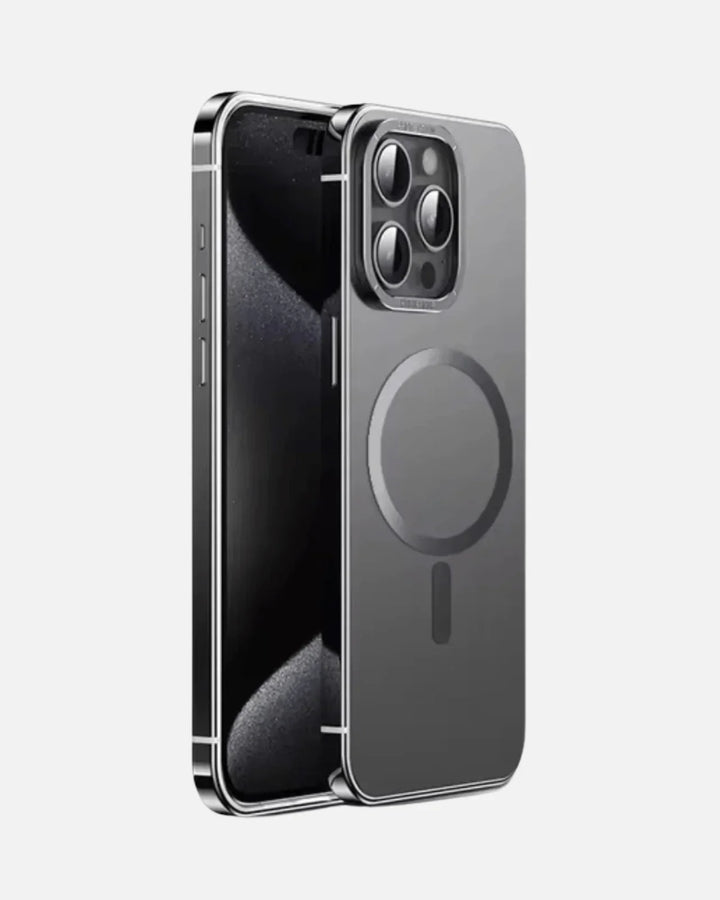
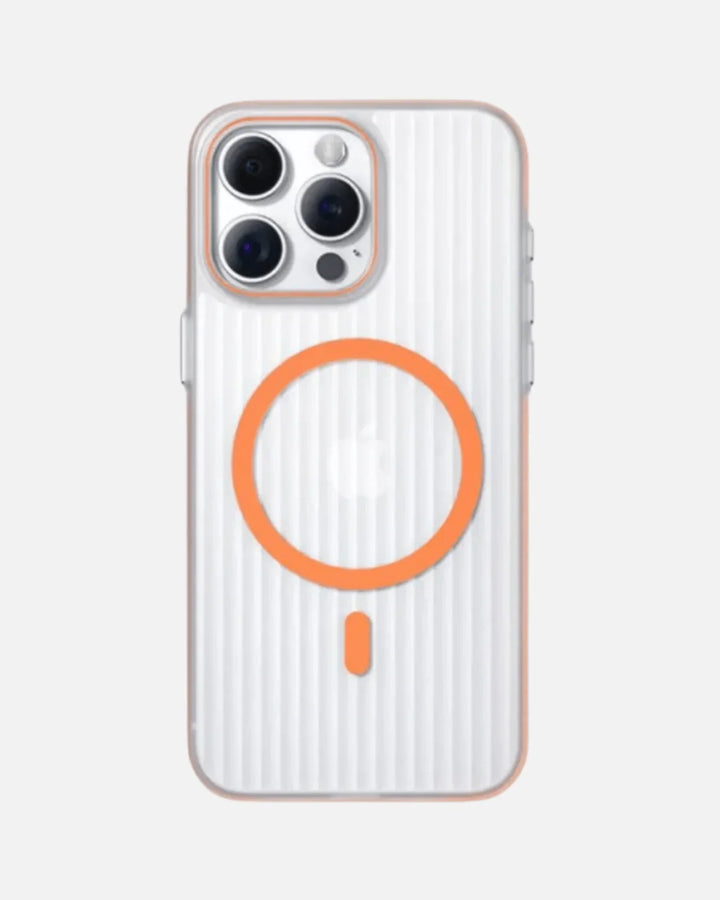
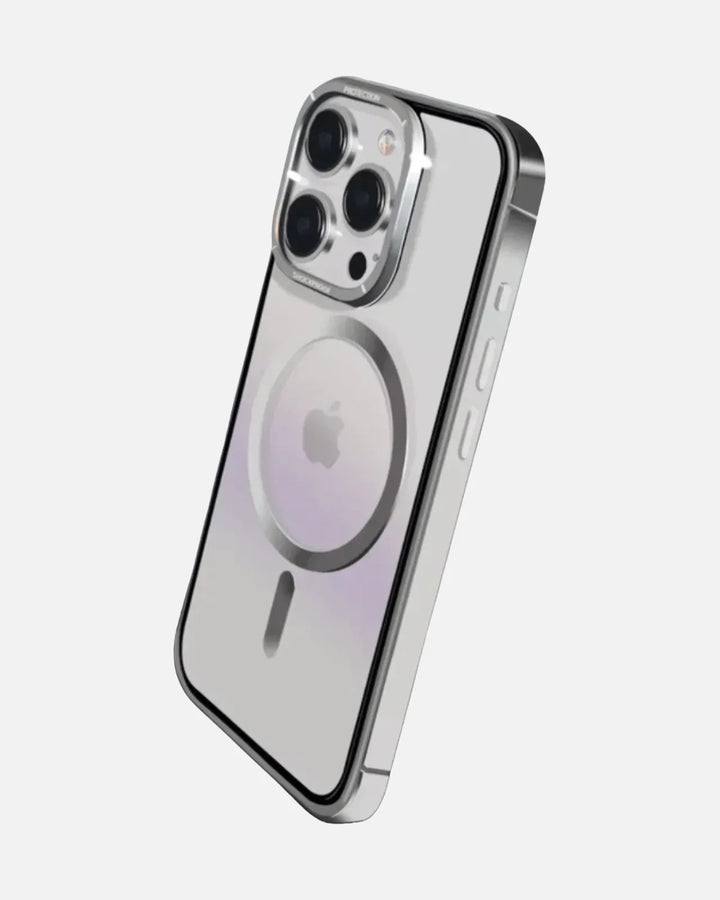
On the case side, thinner is better for wireless - and this one is about as thin as it gets:

At just 0.35 mm, the Frosted Ultra-Thin case keeps the coil gap tiny, and its integrated magnetic ring snaps the phone into clean MagSafe alignment - both of which help wireless charging stay efficient and cool, exactly what your battery wants. It's the opposite of the thick, misaligned setup that makes phones run hot on a pad. Pick your exact iPhone (it's model-specific), and pair it with a certified charger from charging solutions or browse all iPhone cases. Everything ships free over $49.90, same day before 3 PM ET from New Jersey, with 7-day returns.
Charge wireless, keep it cool
A thin MagSafe case and a certified charger keep wireless efficient and battery-friendly. Free shipping over $49.90, same-day dispatch before 3 PM ET, 7-day returns.
Shop charging solutions →Frequently Asked Questions
Does wireless charging damage your iPhone battery?
No - not meaningfully compared to wired charging, as long as heat is managed. Heat, not the wireless technology itself, is what degrades a lithium-ion battery over time. Wireless charging runs a few degrees warmer than wired because some energy is lost as heat in the transfer, but modern iPhones and certified chargers actively manage temperature, so for everyday use the long-term difference in battery health is minimal.
Does wireless charging use more battery cycles?
No. A charge cycle is one full discharge and recharge of the battery's total capacity, and it counts the same regardless of whether you charged wired or wirelessly. Putting 100% of a charge into the phone over a day is one cycle either way. So the common claim that wireless charging 'burns through cycles faster' is a myth - the charging method doesn't change how cycles are counted.
Why does my iPhone get warm on a wireless charger?
Wireless charging transfers energy across a small air gap between two coils, and some of that energy is always lost as heat - which is why the phone feels warmer than on a cable. Thick cases and poor alignment make it worse, because they widen the gap between the coils and waste more energy as heat. Good magnetic alignment, like MagSafe or Qi2, keeps the coils centered, which improves efficiency and reduces heat.
Is MagSafe bad for battery health?
No. Certified MagSafe and Qi2 chargers regulate temperature and slow or stop charging if they detect excess heat, and their strong magnetic alignment actually reduces wasted heat by keeping the phone perfectly centered on the coil. Because heat is the main thing that ages a battery, well-aligned, temperature-managed magnetic charging is one of the gentler ways to charge wirelessly, not a risk to battery health.
How can I protect my battery while charging wirelessly?
Keep it cool: don't charge under a pillow or blanket, in direct sun, or in a hot car, and don't cover the phone while it charges. Remove very thick or metal cases if the phone heats up a lot, use a certified MagSafe or Qi2 charger with good alignment, and enable Optimized Battery Charging (and the 80% charge limit on iPhone 15 and newer). Avoid charging during heavy use like gaming or navigation, which adds heat.
Is wired charging better for battery health than wireless?
Wired charging is slightly cooler and more efficient, since it doesn't lose energy across an air gap. But with heat kept in check - which modern iPhones and certified chargers do automatically - the long-term difference in battery health between wired and wireless is minimal. Use whichever is convenient: wired when you want speed and efficiency, wireless when you want the ease of just setting the phone down.
The Bottom Line
The fear that wireless charging quietly destroys your iPhone battery is one of those tech myths that sounds plausible but doesn't hold up. The real story is simpler and far less alarming: batteries age from heat, charge cycles and time spent at the extremes - and wireless charging only differs from wired by running a few degrees warmer, well within safe limits, while adding no extra cycles at all. Modern iPhones manage that heat with certified chargers, Optimized Battery Charging, an optional 80% limit and thermal throttling. So set your phone on the pad without guilt. Keep it cool, use a thin case and a certified charger, switch on the battery-health features, and your iPhone's battery will age gracefully no matter how you choose to charge.