How-To · AirPods Care
How to clean your AirPods case safely: step-by-step for the exterior, charging port, hinge and speaker mesh - plus what never to use. Apple-aligned tips.

Learning how to clean your AirPods case the right way takes about fifteen minutes and almost nothing in supplies - but doing it the wrong way can ruin a perfectly good case. Pocket lint, ear wax, and everyday grime collect in the charging port, the lid hinge and the bud wells, and the fixes people reach for first - water, soap, a paper clip, a blast of compressed air - are exactly the ones that cause damage. This guide walks through the safe method step by step, then lists what to never use.
Empty the case, then wipe the exterior with a soft, dry cloth (lightly dampened with 70% isopropyl alcohol for stains). Use a clean, dry soft-bristled brush for the port, hinge and bud wells. Never use water, sharp objects in the port, or canned compressed air - and let it dry fully before charging.
Everything here follows Apple's own cleaning guidance, because an AirPods case is a small, sealed electronic device, not a dishwasher-safe gadget. Stick to the method below and you'll get it genuinely clean without risking the charging contacts or the speakers.
It helps to know what you're actually fighting. Three things build up on an AirPods case: pocket lint, which migrates straight into the charging port and the seams; ear wax and skin oils, which transfer from your fingers and the buds to the mesh and bud wells; and general grime from being handled dozens of times a day. None of it is dramatic on day one, but it compounds - a thin film becomes a sticky layer, and loose lint becomes a packed plug at the bottom of the port. The good news is that all three respond to the same gentle, dry approach, so you never need anything harsh to deal with them.
What You'll Need
None of this is special equipment, and you likely have most of it already. The whole kit costs very little and lasts for years of cleanings.
- A soft, lint-free microfiber cloth (the kind for glasses or screens).
- A clean, dry, soft-bristled brush - a clean makeup brush, a soft toothbrush, or a dedicated electronics brush.
- 70% isopropyl alcohol for stains on exterior surfaces (70% is the right strength; higher isn't better here).
- A small piece of Blu-Tack or poster putty for lifting gunk out of crevices and off mesh.
- Optional: a manual bulb air blower (the squeeze type used for camera lenses) for the charging port.
That's deliberately a short list. The tools that don't appear here - cotton swabs soaked in liquid, metal picks, canned air - are left off on purpose, and the "what not to use" section explains why. If you only own a microfiber cloth and a soft brush, you can already do a solid clean; the alcohol, putty and blower simply make the deeper jobs easier and safer.
How to Clean Your AirPods Case, Step by Step

Work through these in order. The whole process takes about ten to fifteen minutes plus drying time, and the golden rule throughout is simple: liquids only ever touch a cloth, never the case directly, and nothing goes into the charging port.
-
Empty the case and gather supplies
Take the AirPods out, gather a soft microfiber cloth, a clean dry soft-bristled brush, 70% isopropyl alcohol and a small piece of Blu-Tack. Work over a clean, well-lit surface.
-
Clean the exterior
Wipe the outside of the case with a soft, dry, lint-free cloth. For stains, lightly dampen the cloth with 70% isopropyl alcohol, wrung nearly dry, and wipe the exterior only, keeping liquid away from all openings.
-
Clean the interior and bud wells
Use a clean, dry, soft-bristled brush to sweep lint and debris out of the bud wells and interior. Do not use liquid inside the case, and do not touch the metal charging contacts with anything wet.
-
Clear the charging port
Hold the case with the port facing down and use a dry soft-bristled brush to loosen lint, or a gentle manual bulb air blower. Never insert pins, paper clips or any object into the charging port, and do not use canned compressed air.
-
Clean the lid hinge and seams
Run a dry soft-bristled brush along the lid hinge and the seams where dust collects. A small piece of Blu-Tack pressed and lifted can pull grime out of tight crevices without scratching.
-
Clean the speaker mesh on the buds
Gently press and lift Blu-Tack or poster putty against the speaker mesh and grilles on the AirPods to pull out wax and dust. Use a dry soft brush for anything left behind. Keep all liquid away from the mesh.
-
Dry fully before reinserting
Leave the case open and upside down to air-dry completely, ideally a couple of hours, before putting the AirPods back and testing charging. Never use a hair dryer, radiator or other heat source to speed drying.
If you do nothing else, internalize the order: dry first, mild liquid (on a cloth) only for exterior stains, and ports last with a brush - never a liquid. Working outside-in like this means any debris you loosen falls away from the openings rather than into them, and it keeps the one truly vulnerable area, the charging contacts, completely dry from start to finish. It looks fussy written out, but in practice it's a couple of minutes of wiping and brushing.
What NOT to Use on Your AirPods Case

This is the part that saves cases. The shortcuts below feel reasonable in the moment and are the most common ways people kill a case, so treat this as the hard list of things to keep away from your AirPods.
- Running water, submerging, or rinsing. AirPods and their cases are not waterproof - the Pro 2 and AirPods 4 buds are only IP54 sweat- and splash-resistant, and the charging case isn't rated for water at all.
- Soap, dish liquid, household cleaners, bleach, hydrogen peroxide or vinegar. These can strip finishes and damage internals.
- Alcohol or any liquid inside the charging port, on the interior contacts, or in the speaker mesh. Exterior cloth only.
- Sharp or metal objects in the port - pins, needles, paper clips, safety pins. Apple says never insert anything into the charging port; you can bend the metal contacts.
- Abrasive materials or scouring pads. They scratch and dull the finish permanently.
- Canned compressed air. Apple doesn't recommend it for AirPods - the high pressure can force moisture or debris deeper or damage the internal speakers. Use a soft brush or a manual bulb blower instead.
- Heat to dry - no hair dryer, radiator, oven or microwave. Always air-dry.
Liquids only ever touch a cloth, and nothing - no swab, no pin, no blast of air - ever goes into the port.
Signs Your AirPods Case Needs a Clean
You don't have to wait for a calendar reminder. The case usually tells you when it's due, and catching these early keeps a quick wipe from turning into a deep rescue.
The clearest signal is charging trouble: AirPods that don't start charging when you close the lid, or that only charge when you nudge the connector, almost always point to a lint-clogged port rather than a failing battery. Visible grime is the next tell - a gray film along the seams, dust packed into the lid hinge, or a buildup you can see in the bud wells. With the buds themselves, muffled or quieter sound often means wax has collected on the speaker mesh, and a sticky or slick feel on the exterior means skin oils have accumulated. Finally, trust your nose: a case that's picked up an odor has organic gunk somewhere that a proper clean will clear. Any one of these is your cue to spend ten minutes with a cloth and a brush.
How Often Should You Clean an AirPods Case?

Cleaning is one of those tasks that's far easier as maintenance than as rescue. A light routine keeps buildup from ever becoming the stuck-on grime that's hard to remove.
| Frequency | What to do | Why |
|---|---|---|
| Weekly | Quick exterior wipe with a dry cloth | Removes skin oils and surface grime before they set |
| Monthly | Full clean: brush the port, hinge, bud wells and mesh | Clears the lint and wax that cause charging issues |
| As needed | Clean after heavy, sweaty, or outdoor use | Workouts and pockets push in debris much faster |
If you carry your case loose in a pocket or gym bag, lean toward the more frequent end - that's where pocket lint comes from, and it heads straight for the charging port.
Why Your AirPods Case Won't Charge After Lint Builds Up
Here's the single most common AirPods "repair" that isn't a repair at all. If your AirPods stop charging in the case, or charge only when you wiggle the connector, the usual culprit isn't a dead battery - it's a charging port packed with compressed pocket lint. Over time, lint gets pushed to the bottom of the port and forms a little felt pad that stops the connector from seating fully against the contacts.
The fix is the gentle one from the steps above: hold the case port-down, loosen the lint with a dry soft-bristled brush, and let gravity and a few light sweeps pull it out, or use a manual bulb blower. Resist the urge to dig it out with a pin - a scratched or bent contact turns an easy clean into an actual repair. Once the port is clear, the connector seats properly again and charging usually returns to normal. It's worth checking this before assuming a case needs replacing.

One more reassurance, since this worries people: a single clogged port is not a sign your AirPods are wearing out. Lithium-ion batteries do degrade slowly over years, but a sudden "won't charge" almost always traces to debris or a dirty connector, both of which are reversible in minutes. If a careful port clean and a wipe of the contact area with a dry cloth don't restore charging, then it's worth contacting Apple support - but in the vast majority of cases, the lint was the whole story, and the case has plenty of life left.
A Quick Word on Cleaning the Earbuds
The case is the focus here, but the buds collect their own grime, so a brief note. Wipe the AirPods with a soft, dry, lint-free cloth, and for the speaker mesh use the Blu-Tack trick - press and lift to pull wax out without pushing it deeper. If your AirPods Pro have silicone ear tips, you can remove them and clean them with water (tips only, away from the bud), then dry them completely before reattaching. As with the case, keep liquid out of the mesh and openings, and never use a sharp object to scrape the grilles. The same care that protects the case protects the part you actually listen through.
Ear wax on the speaker mesh is the most common reason AirPods start sounding quiet or muffled, so it's worth a gentle once-over whenever you do a deep clean. Work in good light, tilt the bud so any loosened debris falls out rather than in, and let the putty do the lifting rather than pressing hard. If sound is still off after a careful mesh clean, the issue may be a software or fit problem rather than dirt - re-seating the tips or checking your audio settings is the next step before assuming the hardware is at fault. Clean gently, clean regularly, and the buds will keep their original clarity far longer than a neglected pair ever does.
The Easiest Way to Keep It Clean: A Protective Case
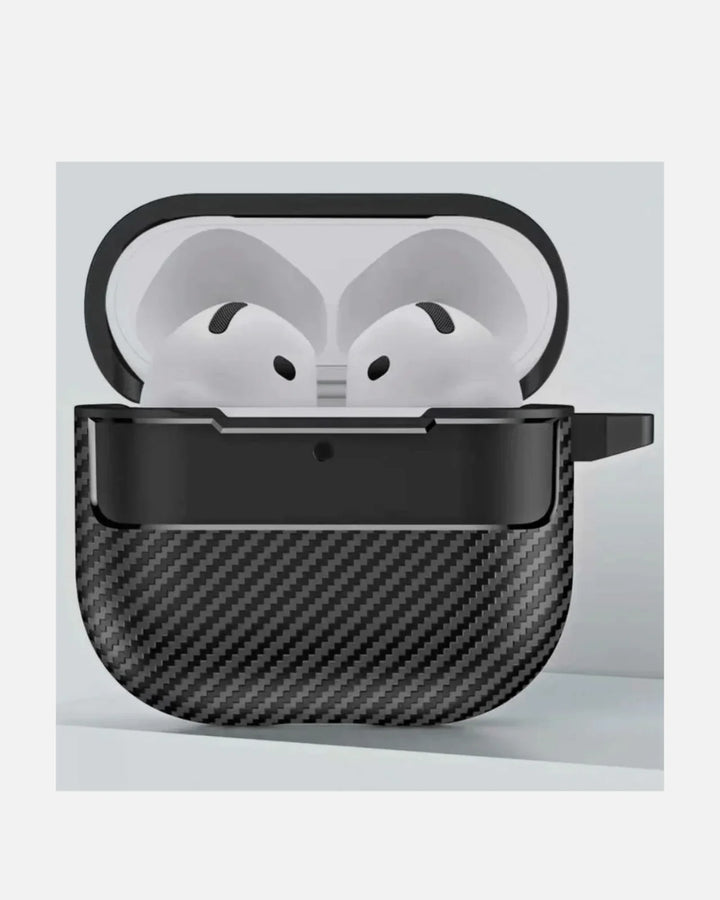
The honest truth about AirPods cleaning is that the best clean is the one you don't have to do. Most of the grime that ends up in the port and seams comes from carrying a bare charging case in a pocket or bag full of lint, keys and crumbs. A protective cover changes that equation: it takes the scratches, blocks most of the lint, and wipes down far more easily than the textured plastic of the case itself.
There's a maintenance angle too, not just a protection one. A washable outer case is the part that touches your pocket, so it's the part that gets dirty - and it's far easier to wipe down a smooth silicone or TPU cover than to coax lint out of the AirPods case's own seams and port. In practice, a protective case turns most of your "cleaning" into a ten-second wipe of the cover, and reserves the careful port-and-mesh routine for occasional deep cleans. It also means the charging case underneath keeps its resale-friendly condition, free of the scuffs and scratches that bare cases pick up within weeks.

Whichever cover you choose, buy the one made for your exact model - an AirPods 4 and an AirPods Pro 2 case aren't interchangeable. A protective case still allows charge-through, so you keep wireless or USB-C charging while gaining a barrier against the grime that causes most cleaning headaches. Pair it with a habit of a weekly wipe and you'll rarely face a stuck-on mess. And if you're kitting out the rest of your Apple gear, a screen protector follows the same logic of guarding the surface before it gets damaged.
Less cleaning, more listening
Protective AirPods cases that block lint and scratches while keeping charge-through. Free shipping over $49.90, same-day dispatch before 3 PM ET.
Shop AirPods cases →Frequently Asked Questions
How do you clean an AirPods case?
Empty the case, then wipe the exterior with a soft, dry, lint-free cloth. For stains, lightly dampen the cloth with 70% isopropyl alcohol and wipe exterior surfaces only. Use a clean, dry, soft-bristled brush for the bud wells, charging port, lid hinge and seams, and Blu-Tack to lift gunk from the speaker mesh. Never put water, sharp objects or liquid into the charging port, and let the case dry fully before use.
Can you clean an AirPods case with water?
No. AirPods and their cases are not waterproof, so you should never submerge, rinse or run water over them. The Pro 2 and AirPods 4 are only IP54 sweat- and splash-resistant, and the charging case is not rated for water at all. Clean with a dry cloth and a soft brush, and use 70% isopropyl alcohol only on a cloth for exterior surfaces.
Can you use alcohol to clean AirPods?
Yes, but carefully. Use 70% isopropyl alcohol on a cloth to wipe exterior surfaces of the case and the AirPods only. Do not let alcohol or any liquid get into the charging port, the interior contacts or the speaker mesh. Apply it to the cloth, not directly to the device, and wring the cloth nearly dry before wiping.
Can you use compressed air on AirPods?
It is not recommended. Apple does not advise canned compressed air for AirPods, because high-pressure air can force moisture or debris deeper inside or damage the internal speakers. Instead, use a clean, dry, soft-bristled brush, or a gentle manual bulb air blower, to dislodge lint and dust safely.
How do I clean lint out of the AirPods charging port?
Hold the case with the port facing down and use a clean, dry, soft-bristled brush to loosen and sweep out the lint, or a gentle manual bulb air blower. Do not insert pins, paper clips, needles or any object into the port, as this can damage the metal charging contacts. A blocked port is the most common reason a case stops charging.
How often should I clean my AirPods case?
A light exterior wipe once a week and a more thorough clean about once a month works for most people. If you use your AirPods during workouts, sweat heavily, or carry the case loose in a pocket or bag, clean more often, since lint and grime build up faster and are the main cause of charging problems.
Does a protective case keep an AirPods case cleaner?
Yes. A protective cover shields the charging case from pocket lint, grime, scratches and minor drops, so far less debris reaches the seams and port in the first place. It is much easier to wipe down a washable outer case than to dig lint out of the AirPods case itself, which makes a protective case the simplest way to stay cleaner for longer.
The Bottom Line
Cleaning an AirPods case is quick and genuinely easy once you know the boundaries: a dry microfiber cloth and a soft brush do most of the work, 70% isopropyl alcohol on a cloth handles exterior stains, and Blu-Tack lifts gunk from the mesh and crevices. The only hard rules are the ones that protect the electronics - no water, nothing sharp or rigid in the charging port, no canned compressed air, no heat to dry, and always a full air-dry before charging again. Build in a weekly wipe, keep a protective cover on to block most of the grime in the first place, and your AirPods case will stay clean, charge reliably, and look good for years - no harsh chemicals, no risky shortcuts, no replacement required.
Why trust Creslia
- 2,000+ products tested in our Iselin, NJ QA lab since 2024.
- 200+ device models supported - iPhone, Samsung, Pixel, OnePlus, Google.
- Same-day shipping on orders placed before 3 PM ET, six days a week.
- Reviewed under MIL-STD-810G drop methodology for our rugged lines.